
AI color grading: a cinematic look and a LUT from your own footage
Drop a clip, pick a preset, a reference still or an AI look, then export a .cube LUT or a graded MP4. Your clip stays in your browser.
Drop a clip or a still
MP4, MOV or WebM up to 5 minutes, or a JPG, PNG or WebP still.
Your clip is opened in this browser and never uploaded.
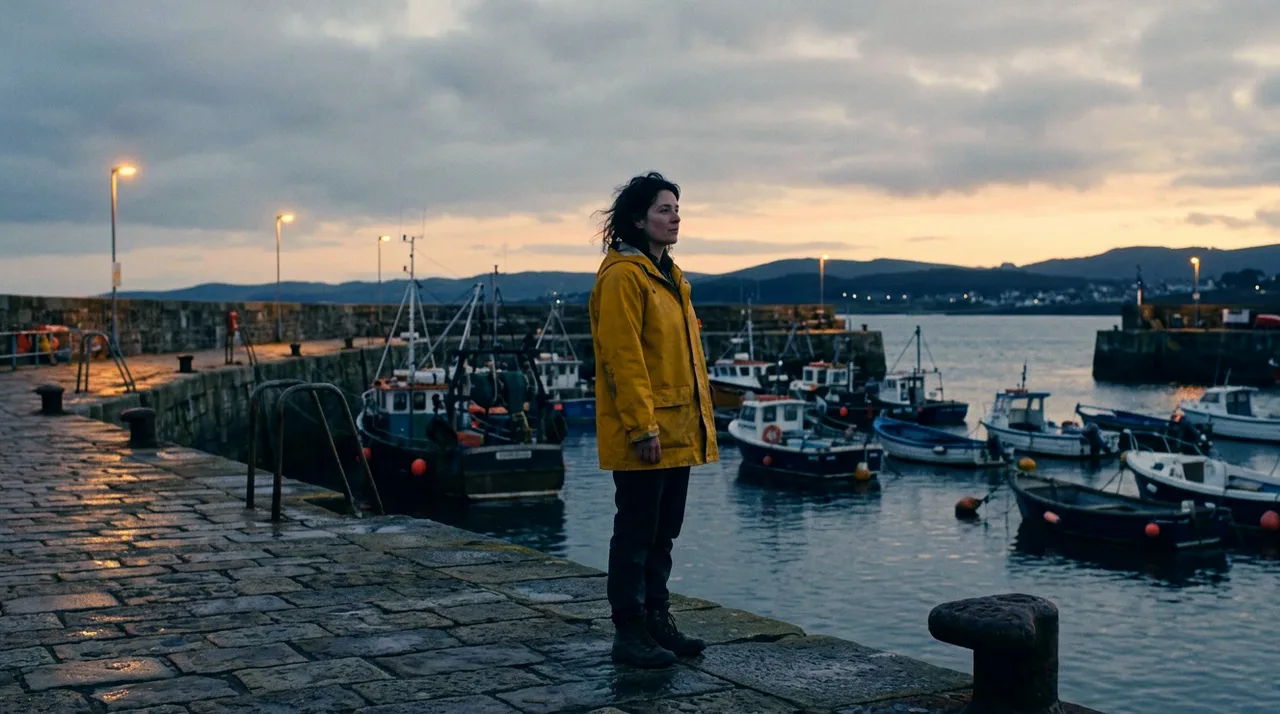
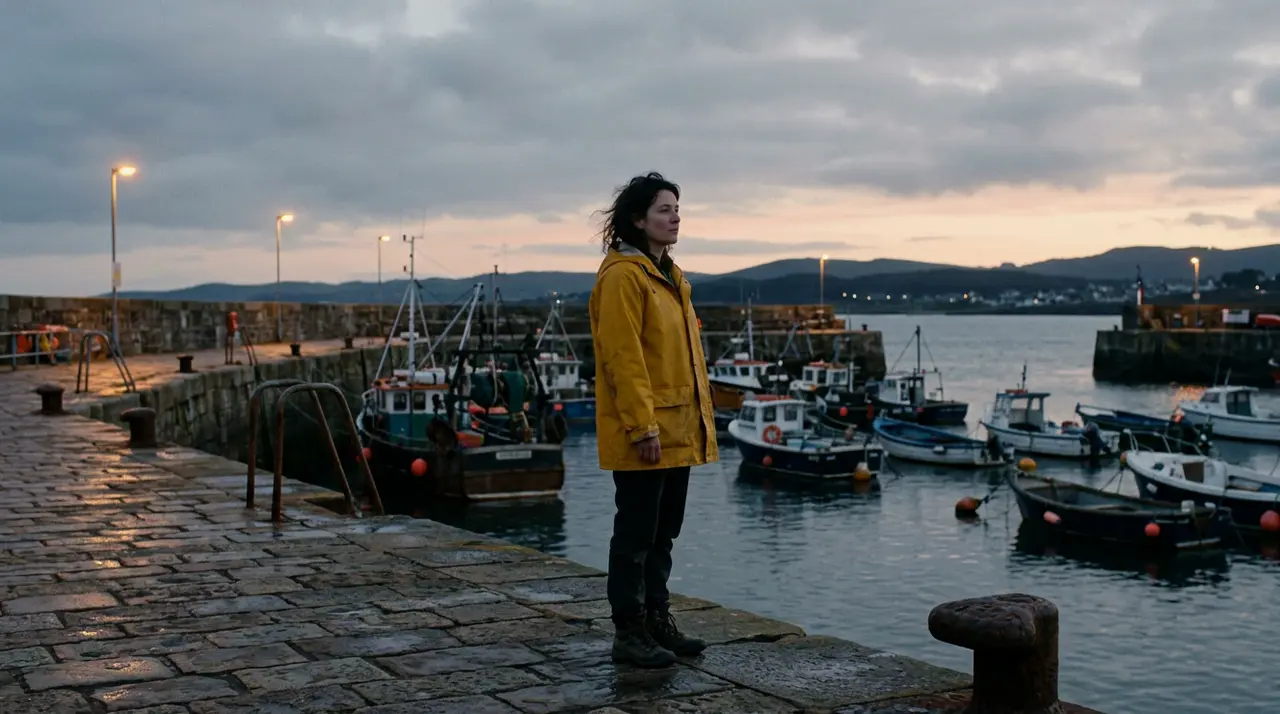
Preset look: Teal and Orange
CinemaStudio.io is independent and not affiliated with or endorsed by Higgsfield.
Before and after
Preset and AI looks, before and after
Each pair shows one frame before and after a single look from the lab, with no further correction.
 Before
 After
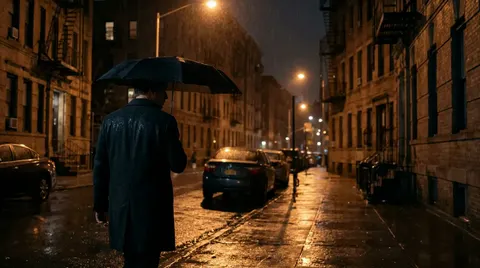 Before
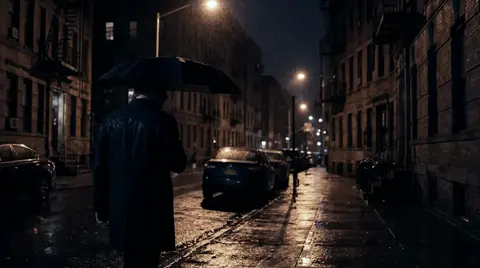 After
 Before
 After
 Before
 After
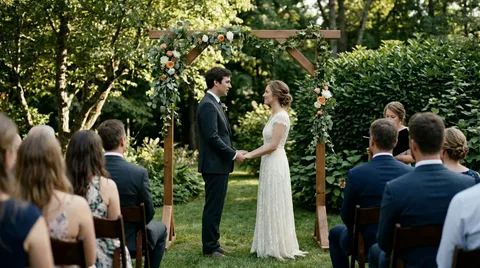 Before
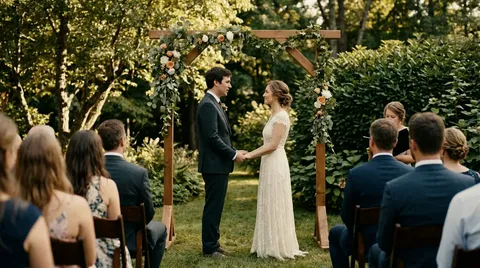 After
 Before
 After
Who it's for
Color grading online for your own footage
Start from a look, not a blank grade. The lab turns it into a LUT you can take into your editor, so every shot in the project gets the same treatment.
- 01
A wedding film with one look
Grade the whole film from one look and hand the .cube to your editor, so the ceremony and the reception match.
- 02
An A-cam and a phone B-cam
Match the phone shots to the camera with shot matching, then lay one look over both.
- 03
Looks tried before the color session
A short-film director can test a few looks on one scene and bring the LUT and grade notes to the colorist.
- 04
Vertical video
AI keyframes can be cropped to 9:16, and the MP4 renders in your browser at up to 1920 px on the long side.
How it works
How to make a LUT from your own footage
Three steps in your browser. The free looks need no account.
- 01
Open your clip
Drop an MP4, MOV or WebM up to 5 minutes and 2 GB, or a JPG, PNG or WebP still. Pick the input: Rec.709, S-Log3, LogC3 or V-Log.
- 02
Pick a look
Try a free preset, match a reference still or another clip, import your own .cube, or run an AI look from a preset direction, a reference or a few words.
- 03
Fine-tune and export
Adjust strength, exposure, temperature and more on a live before/after preview, then export the .cube at 17, 33 or 65 points or a graded MP4.
Working in a chat? Fetch preset LUTs from Claude or ChatGPT with the MCP server
Free preset looks
Five cinematic looks, free as .cube files
Each preset is a fixed LUT built for your input: try it on your clip in the lab, or download the Rec.709 version here. No account needed.
Teal and Orange
Cyan-teal shadows, warm highlights and natural skin: the blockbuster split, kept gentle.
Download .cube (33 points, Rec.709)Bleach Bypass
Low saturation, hard contrast and bright, cool highlights, like silver left in the print.
Download .cube (33 points, Rec.709)Warm Negative
A warm 35mm print feel: slightly lifted blacks, amber mid-tones, soft highlights.
Download .cube (33 points, Rec.709)Cold Noir
A cold night grade: blue cast, deep shadows, muted color and crisp contrast.
Download .cube (33 points, Rec.709)Pastel
Airy and soft: lifted shadows, low contrast, pink highlights and mint shadows.
Download .cube (33 points, Rec.709)
What the lab does
A LUT you can trust, not just a filter
Every look ends up as the same baked LUT in the preview, the .cube and the MP4.
Log or Rec.709 in, Rec.709 out
Pick S-Log3, LogC3, V-Log or Rec.709. The LUT converts and grades in one file, and its header says which input it expects.
Skin tones held
When an AI look is fitted, hue shifts on skin are held to a few degrees, so faces stay faces.
The fit error, in the open
Each AI look reports how closely the LUT matches the graded keyframes as a ΔE number, and flags a loose fit.
Moved pixels caught
If the model moved anything but color in a keyframe, it is graded again free once; if it moves again, that keyframe is left out and refunded.
Export 17, 33 or 65 points
Download the .cube as often as you like at the size your editor or monitor wants. Exports are free and unlimited.
Your clip stays with you
The clip is decoded, previewed and rendered to MP4 in your browser. Only the keyframes of an AI look are uploaded.
Looks and credits
What each job costs
Free looks run in your browser. AI looks grade keyframes with Nano Banana 2.1, with GPT Image 2 as the second route, and grade notes come from Gemini. The price shows before anything runs.
| Job | What it does | Credits |
|---|---|---|
| AI lookThree keyframes graded, a LUT fitted in your browser (a still is one keyframe) | 104 credits | |
| One keyframe againGrade one keyframe again with the same look | 35 credits | |
| Grade notesThe look explained in colorist terms, to rebuild by hand | 4 credits | |
| Preset looksFive fixed looks for Rec.709 and log footage | Free | |
| Shot matchingMatch a clip to a reference still or another clip | Free | |
| .cube and MP4 exportAny look, any size, rendered in your browser | Free |
Credits are only kept for keyframes that finish. A failed keyframe is refunded on its own, and one where the model moved pixels is graded again free, once per look.
Pricing
Plans sized by how many looks you run
A monthly or yearly plan, team seats with one shared pool, or a one-time pack. New accounts get 104 free credits once their email is confirmed, enough for one AI look. There are no daily free credits.
First Light
For grading a short film or a few videos a month
$6.59/month
$79.09 billed once a year
or $8.09 billed monthly
- 1,895 credits a month
- About 18 AI looks
- 22,740 credits a year, paid out as 1,895 each month
- Free presets, reference match and shot matching
- .cube LUT at 17, 33 or 65 points
- Graded MP4 rendered in your browser
- Two AI looks at a time
Day for Night
For a working filmmaker with a project or two a month
$10.88/month
$130.50 billed once a year
or $13.05 billed monthly
- 3,280 credits a month
- About 31 AI looks
- 39,360 credits a year, paid out as 3,280 each month
- Free presets, reference match and shot matching
- .cube LUT at 17, 33 or 65 points
- Graded MP4 rendered in your browser
- Four AI looks at a time
- API keys and MCP for your own scripts
Final Grade
For weddings, series and channels that grade every week
$23.63/month
$283.50 billed once a year
or $28.35 billed monthly
- 7,435 credits a month
- About 71 AI looks
- 89,220 credits a year, paid out as 7,435 each month
- Free presets, reference match and shot matching
- .cube LUT at 17, 33 or 65 points
- Graded MP4 rendered in your browser
- Four AI looks at a time
- API keys and MCP for your own scripts
Team plans
Billed by the seat, from 3 seats. Every seat tops up one credit pool the whole team draws on, and members join with an invite link.
Colour Bay
A shared pool for a small production team
$116.90per seat a year
or $11.69 per seat billed monthly
3 seats: $350.70 in total
- 8,790 shared credits monthly, 2,930 per seat
- Free presets, reference match and shot matching
- .cube LUT at 17, 33 or 65 points
- Graded MP4 rendered in your browser
- One shared credit pool for the whole team
- Four AI looks at a time
- API keys and MCP for your own scripts
Colour Floor
A bigger shared pool for a post house or an agency
$244.50per seat a year
or $24.45 per seat billed monthly
3 seats: $733.50 in total
- 19,020 shared credits monthly, 6,340 per seat
- Free presets, reference match and shot matching
- .cube LUT at 17, 33 or 65 points
- Graded MP4 rendered in your browser
- One shared credit pool for the whole team
- Four AI looks at a time
- API keys and MCP for your own scripts
Credit packs
A one-time purchase that never renews and never expires, for a project between plans.
Season Grade · $31.45
6,685 credits that never expire, about 64 AI looks.
Free to start: confirm your email and 104 credits are added once, no card needed. That pays for one AI look, one grant per mailbox. They never expire.
Changed your mind? Orders with 10% of their credits or less spent can be refunded: 7 days for monthly plans, 21 for yearly, 14 for packs. The unspent part comes back to you.
Questions about AI color grading and LUTs
What is CinemaStudio.io?
CinemaStudio.io is a color grading lab in your browser. It turns a look into a 3D LUT (.cube) for your own footage. Preset looks, matching and export are free. An AI look grades keyframes from your clip and fits a LUT from them; new accounts get 104 free credits once their email is confirmed, enough for one.
Is CinemaStudio.io the official Higgsfield website?
No. CinemaStudio.io is independent and not affiliated with or endorsed by Higgsfield. Higgsfield is a trademark of its owner.
Is my clip uploaded?
No. The clip is decoded, previewed and rendered in your browser and never uploaded. For an AI look, three keyframes (one for a still) are center-cropped and uploaded to be graded, and so is a reference still you use as its direction.
Which footage and log curves can I use?
Clips in MP4, MOV or WebM up to 5 minutes and 2 GB, or JPG, PNG and WebP stills up to 10 MB. Pick the input the footage was shot in: Rec.709, Sony S-Log3 / S-Gamut3.Cine, ARRI LogC3 / ARRI Wide Gamut 3 or Panasonic V-Log / V-Gamut. The LUT converts that input to Rec.709 display (gamma 2.4), and the .cube header says so.
What is a .cube file, and which editors read it?
A .cube is a 3D LUT: a grid that maps each input color to a graded one. You can export it at 17, 33 or 65 points. It loads in most editors that read .cube files, such as DaVinci Resolve, Premiere Pro, Final Cut Pro and CapCut.
What does an AI look do, and what does it cost?
You give a direction: a preset, a reference still you have the rights to, or up to 280 characters of description. The browser picks three keyframes (a wide shot, a face if there is one and the brightest shot), an image model grades them for color only, and your browser fits a LUT from them, with hue shifts on skin held to 8°. It costs 104 credits; a still is one keyframe, about a third. The fit error is shown as a ΔE number.
What if the AI moves pixels instead of only changing color?
An edge-map check catches it, and that keyframe is graded again free, once per look. If the retry moves pixels too, the keyframe is left out and its credits are refunded. A keyframe that fails for any other reason is refunded automatically.
Which browsers can export an MP4?
The graded MP4 (H.264, with the audio carried over, up to 1920 px on the long side) is encoded in your browser with WebCodecs, so it needs a recent browser. The .cube export does not need WebCodecs, and a still exports as a graded PNG.
Can I use a still from a film as a reference?
Only if it is your own or you have the rights to it. Stills from commercial films need rights under the Acceptable Use Policy. Uploads are screened. The AI changes color only and never makes new people, and sexual content, minors and deepfakes are not allowed.
How long are my files kept?
Uploaded and graded keyframes are deleted after 30 days, and you can delete a look sooner from My looks. Your clip is never on our servers. LUTs you downloaded keep working.
Billing, privacy, deleting your data and the rest are answered on the help page
Updated
Have a clip that needs a look?
Drop it in the lab, try the free presets and export a LUT.